How to Make a Marvel Studios Intro With Your Own Photos
October 2, 2026 · 5 min read
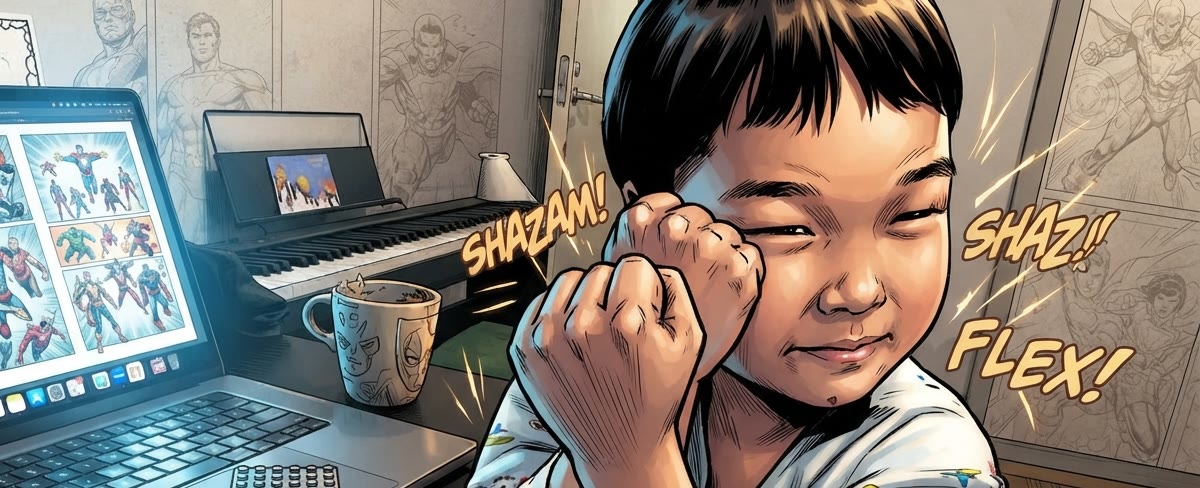
You know the one: comic-book pages flip faster and faster, the music swells, and the big red logo lands on screen. The flip-book version that opened Iron Man in 2008 is still the intro people picture when they hear “Marvel Studios”. Swap the comic panels for your own photos and the logo for a name, and you have the perfect opener for a birthday, a wedding slideshow or a presentation.
There are three ways to get there.
Option 1: Build it yourself in a video editor
With After Effects, Premiere Pro or a similar editor you can recreate the intro by hand. You’ll need to:
- Lay out dozens of images as quick page flips that speed up over about 12 seconds.
- Add the paper-flip motion, the depth and the red color grade.
- Rebuild the logo with your own text in a matching font and reveal it in time with the music.
It’s a fun project if you already know motion graphics, but expect to spend hours, or a whole weekend, to get the timing right.
Option 2: Use a text-only intro maker
Several sites let you type a name and render a Marvel-style logo. It’s quick and cheap, but the pages that flip by are not your pictures. If you want your own photos in it, that’s usually a manual custom order that costs extra and takes a day or more.
Option 3: Use Intro Remaker (a few minutes)
Intro Remaker recreates the Iron Man (2008) intro frame by frame and puts your photos inside it, redrawn as comic art so they match the classic look.
- Upload 20–60 photos. 40–50 is ideal. The intro flips through about 75 pages, so more photos means fewer repeats.
- Type your title. Up to 12 characters, plus an optional subtitle like “Happy Birthday”. Click into the title box to see it in the final logo before you pay.
- Pay and let it cook. AI turns every photo into comic art and our servers render a Full HD video with music, usually in a few minutes.
How to pick the right photos
- People first. Photos with clear, unblocked faces look best; the intro frames each photo around the faces.
- Landscape beats portrait. The video is cinema widescreen, so horizontal photos fill the frame.
- Mix it up. Close-ups, side profiles, group shots and a few action moments keep the flips exciting.
- Go back in time. Baby photos next to recent ones get the biggest reactions.
Title ideas
Short titles look closest to the original logo. A few that work well:
- A first name: EMMA with “HAPPY BIRTHDAY” underneath.
- A couple: ALEX & SAM with “JUST MARRIED”.
- A family or team: THE PARKERS or TEAM ALPHA.
- A milestone: CLASS OF 26 with “WE MADE IT”.
How to play it
- On a TV or projector: play the MP4 full screen from a laptop or a USB stick, with the volume up and the lights down.
- In a presentation: insert it as a video on your first slide in PowerPoint, Keynote or Google Slides and set it to play automatically.
- Before a slideshow: put it at the very start of your photo slideshow so it leads straight into the memories.
Make yours now
Your photos as comic art, your title, the intro everyone knows. Ready in minutes.
Start cookingIntro Remaker is an independent, fan-made tool and is not affiliated with Marvel or The Walt Disney Company. Intros are for personal, non-commercial use.